Know which rooms are ready
A colour-coded room board shows readiness, who is assigned, what is out of order and the history of every room, with arrivals at risk first.
The hotel operations workspace inside HTMS™ Operations.
Housekeeping, engineering, the front desk and managers work from the same room board and the same list of jobs. Work reaches the right person, a room is released only when it passes inspection, and the next shift starts informed.
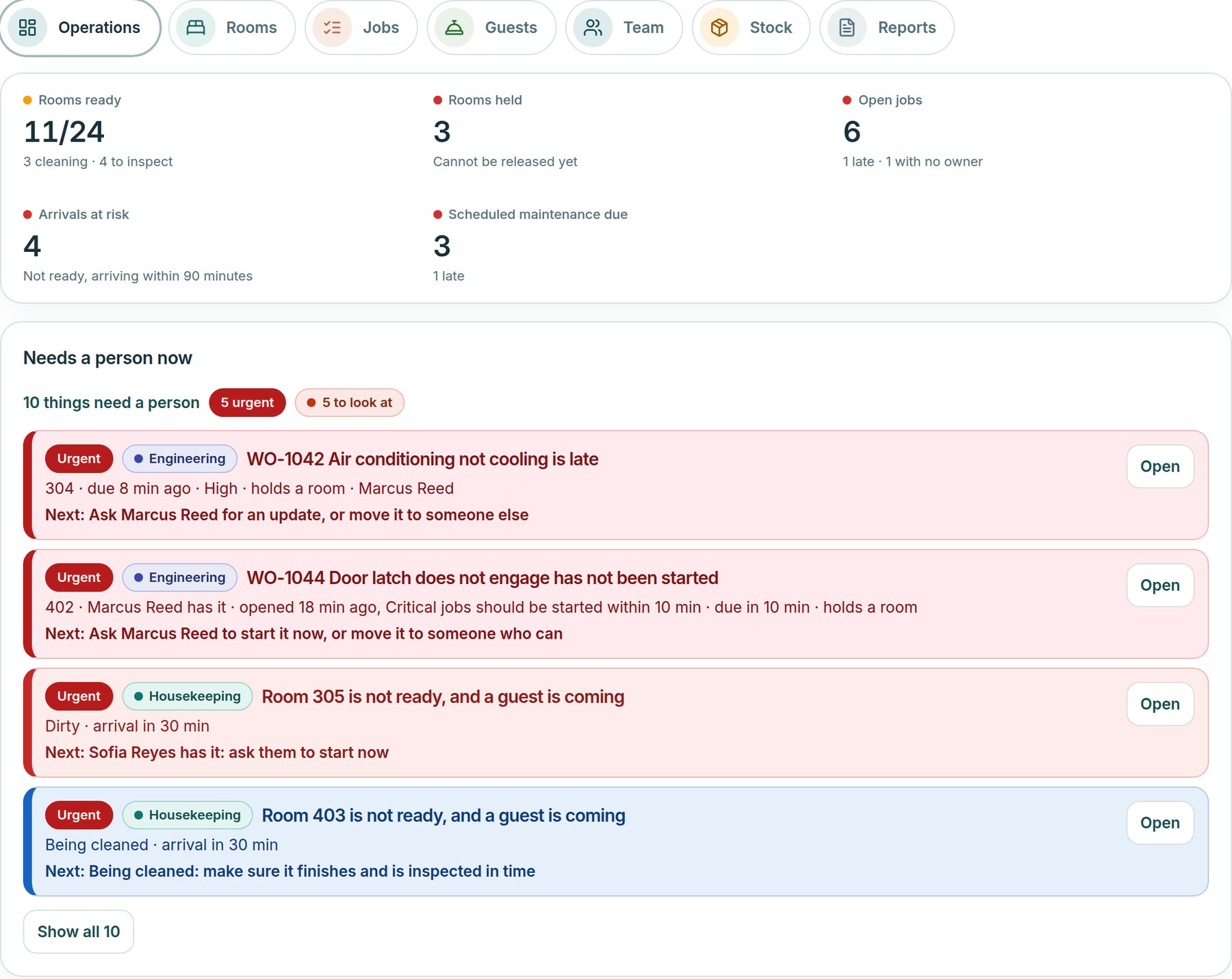
Everyone on the floor knows what to do next, and managers see what needs a person before a guest feels it.
A colour-coded room board shows readiness, who is assigned, what is out of order and the history of every room, with arrivals at risk first.
Jobs move from open to verified, and the dispatcher says why it chose a person. Nothing is hidden in a spreadsheet or a group chat.
Weighted inspection checklists with critical items. A failure opens repair work, and the room is released only when it passes.
Inside Roomline
From the first room check to the last handover note, here is what each part of Roomline shows and what your team does with it.
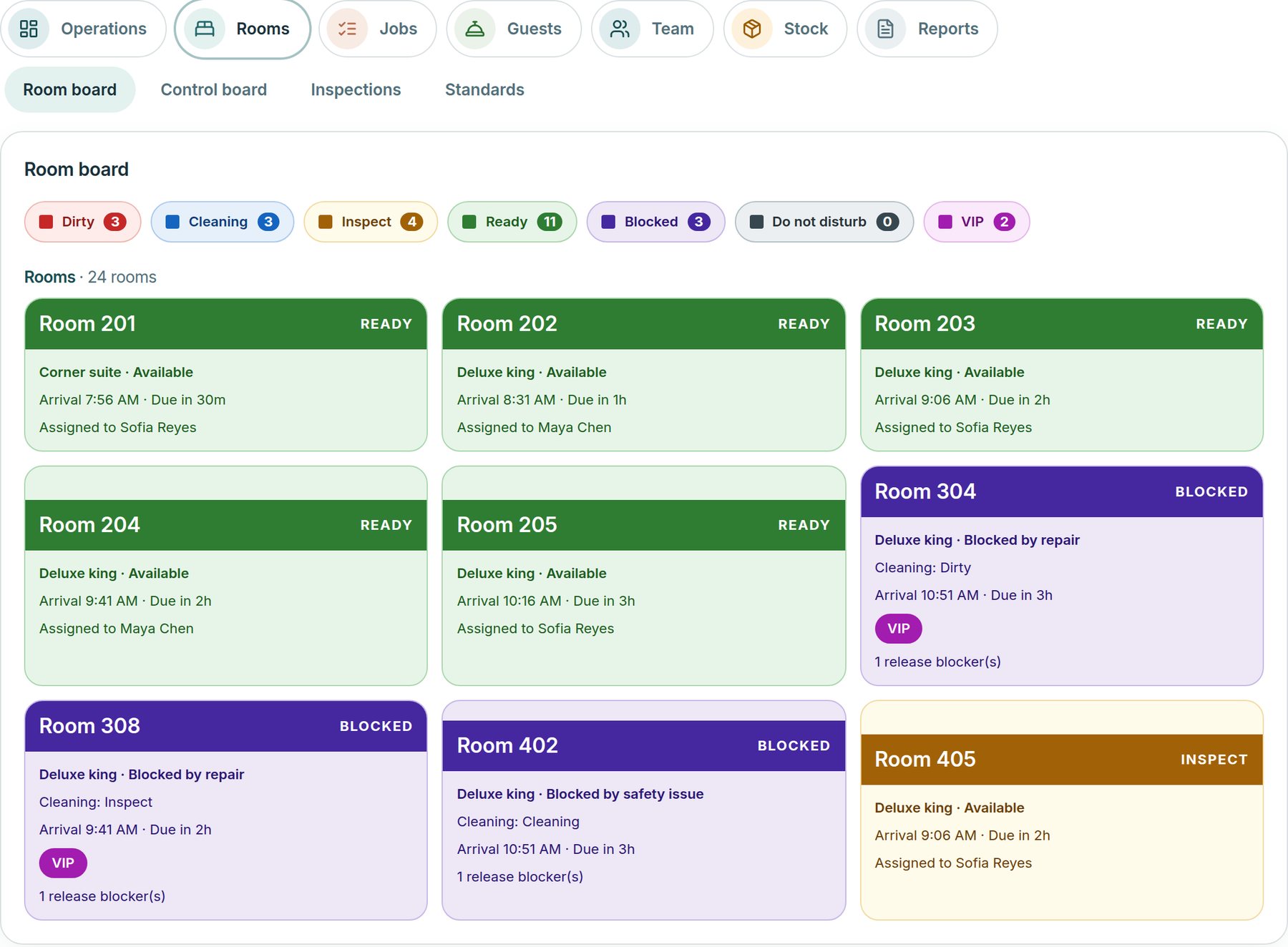
Every room as a card, colour-coded from dirty to ready, with who it is assigned to, the next arrival and what is holding it. Blocked rooms and each room’s history are one tap away.
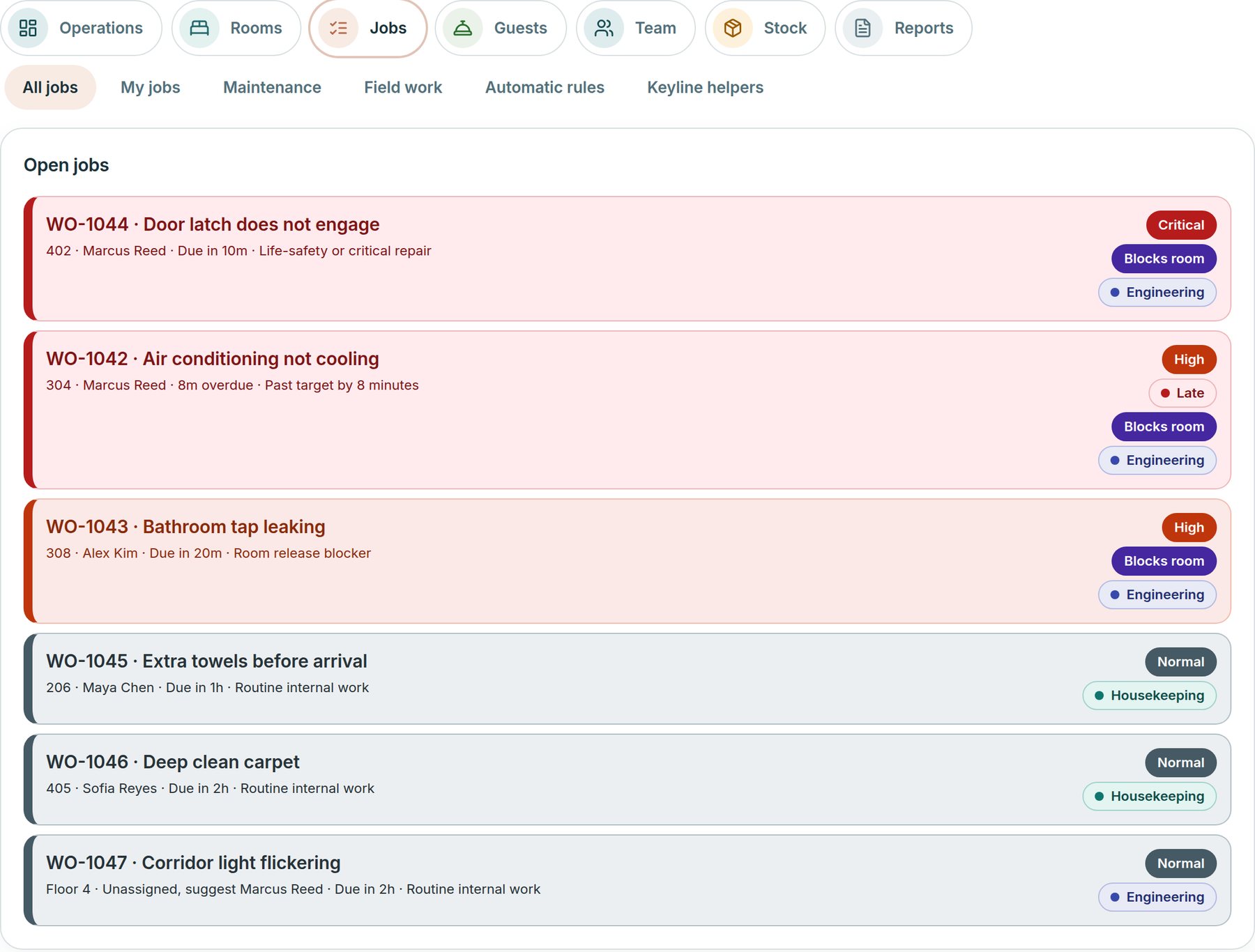
One list of open jobs with priority, owner, due time and whether a job is holding a room. A job moves from open to accepted, in progress, completed, verified and closed.
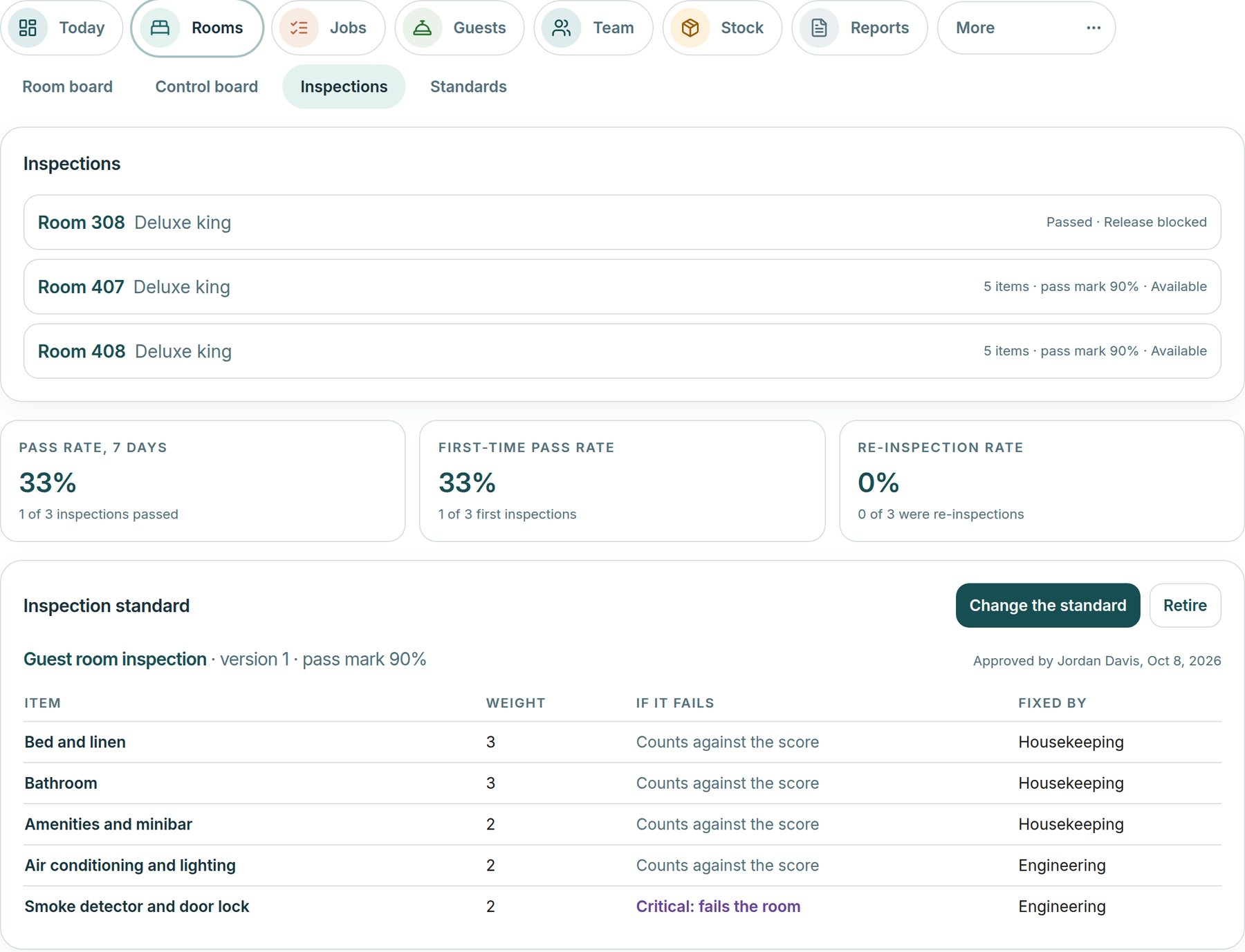
A written, weighted checklist with a pass mark and critical items. A failed item opens corrective work for the team that fixes it, and the room is released only when it passes.
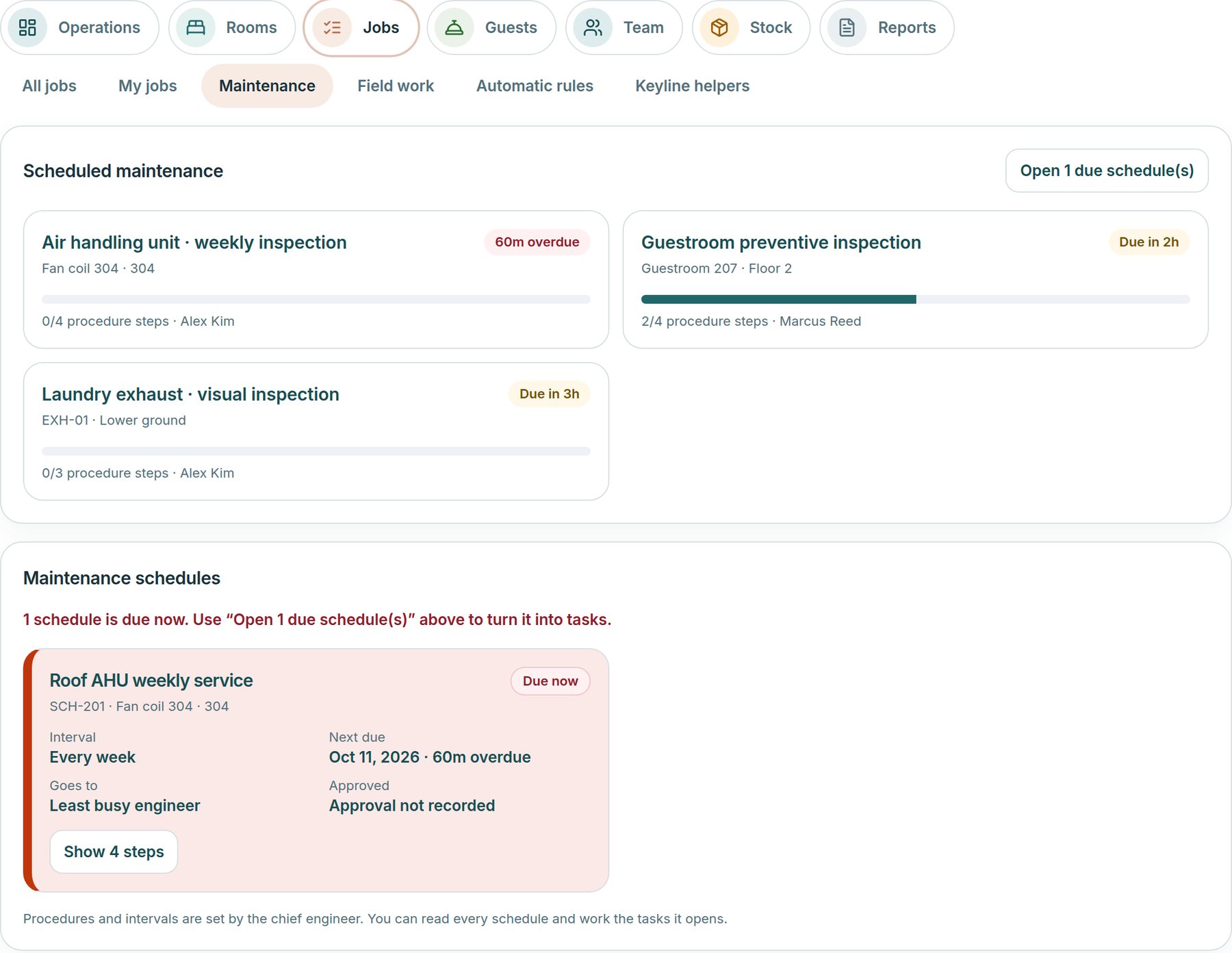
Recurring services with step-by-step procedures, set by the chief engineer. Due schedules turn into tasks for the engineer named, or the least busy one. A failed step opens repair work.
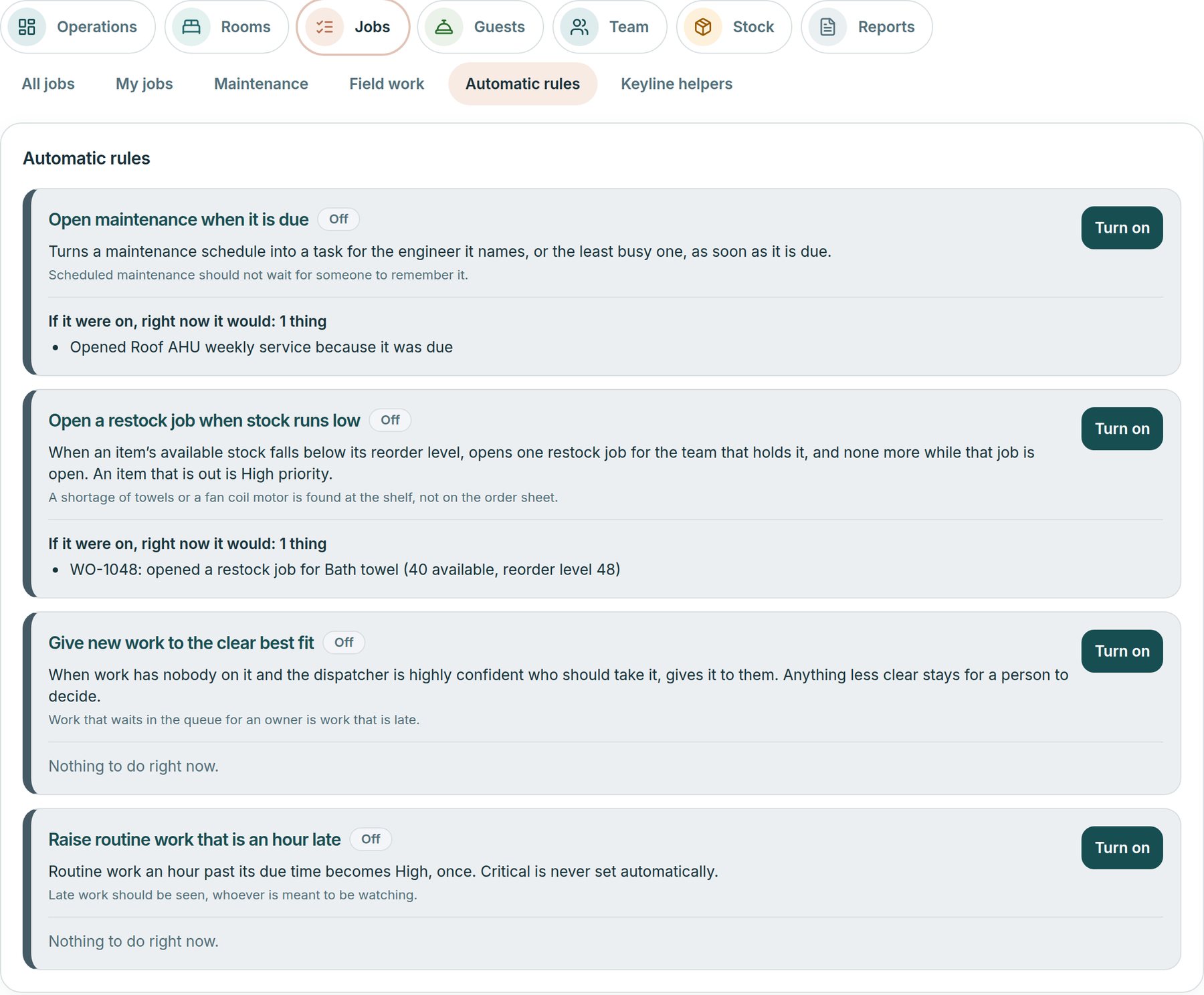
Four optional rules a manager turns on: open maintenance when it is due, open a restock job when stock runs low, give work to a clear best fit, and raise routine work that is an hour late. Each rule previews what it would do right now.
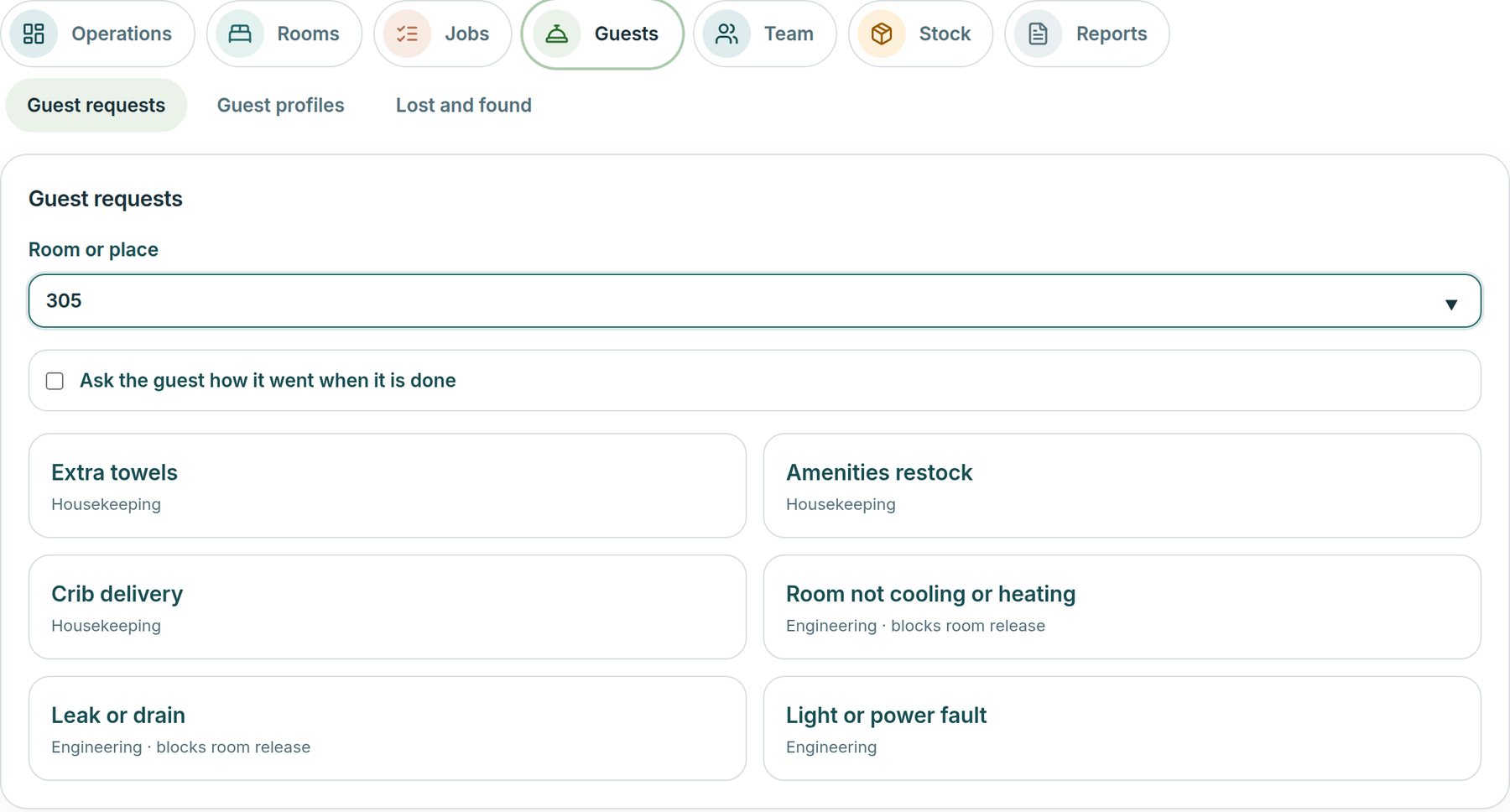
Name the room or place once, then tap one of six standard requests: towels, amenities, a crib, cooling or heating, a leak, a light or power fault. Each opens a job with a due time, and can ask the guest afterwards how it went.
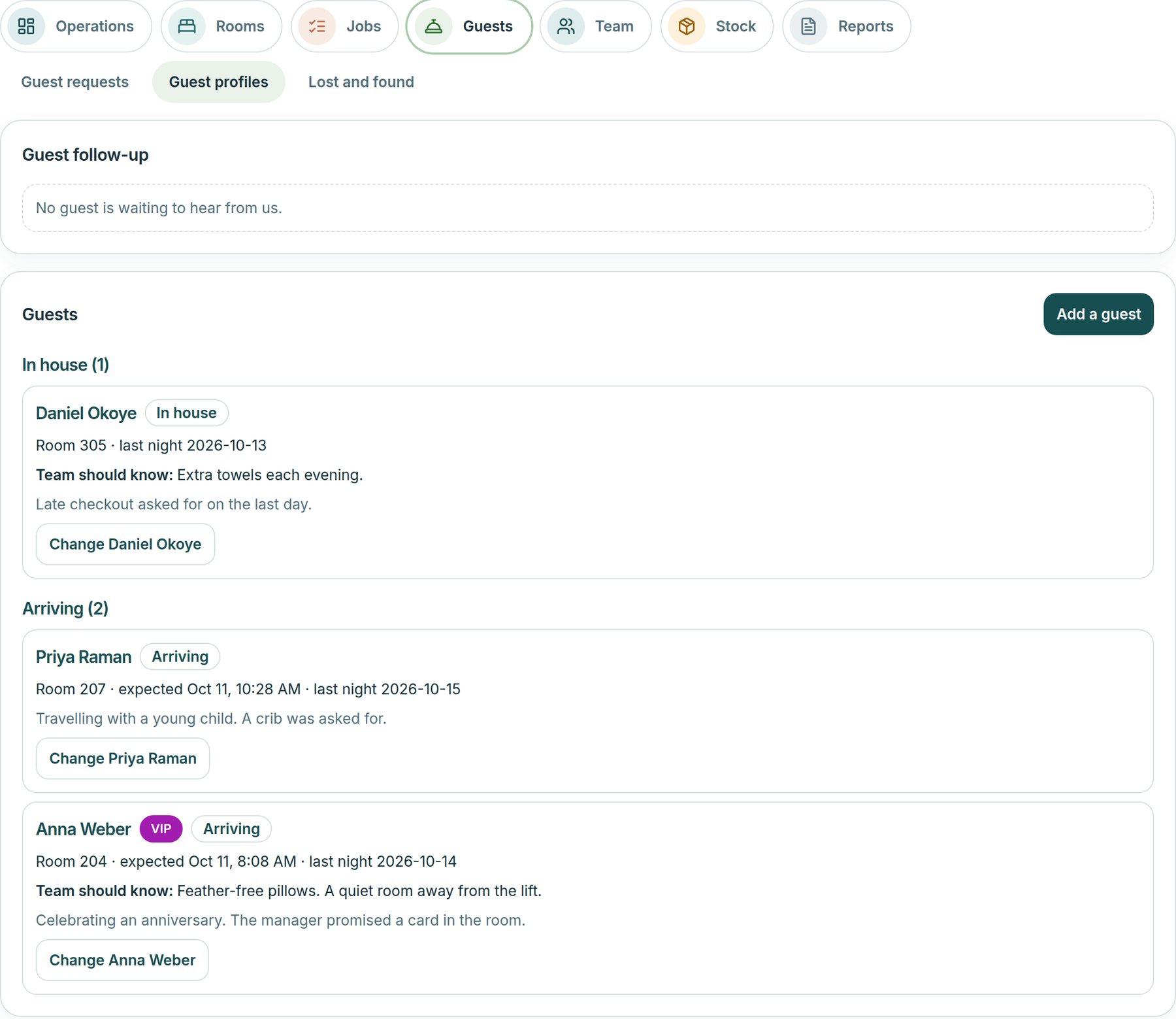
The front desk keeps a working list of in-house and arriving guests with their room, dates and what the team should know, and sees the jobs linked to each. Guest names are shown only to the roles that serve guests.
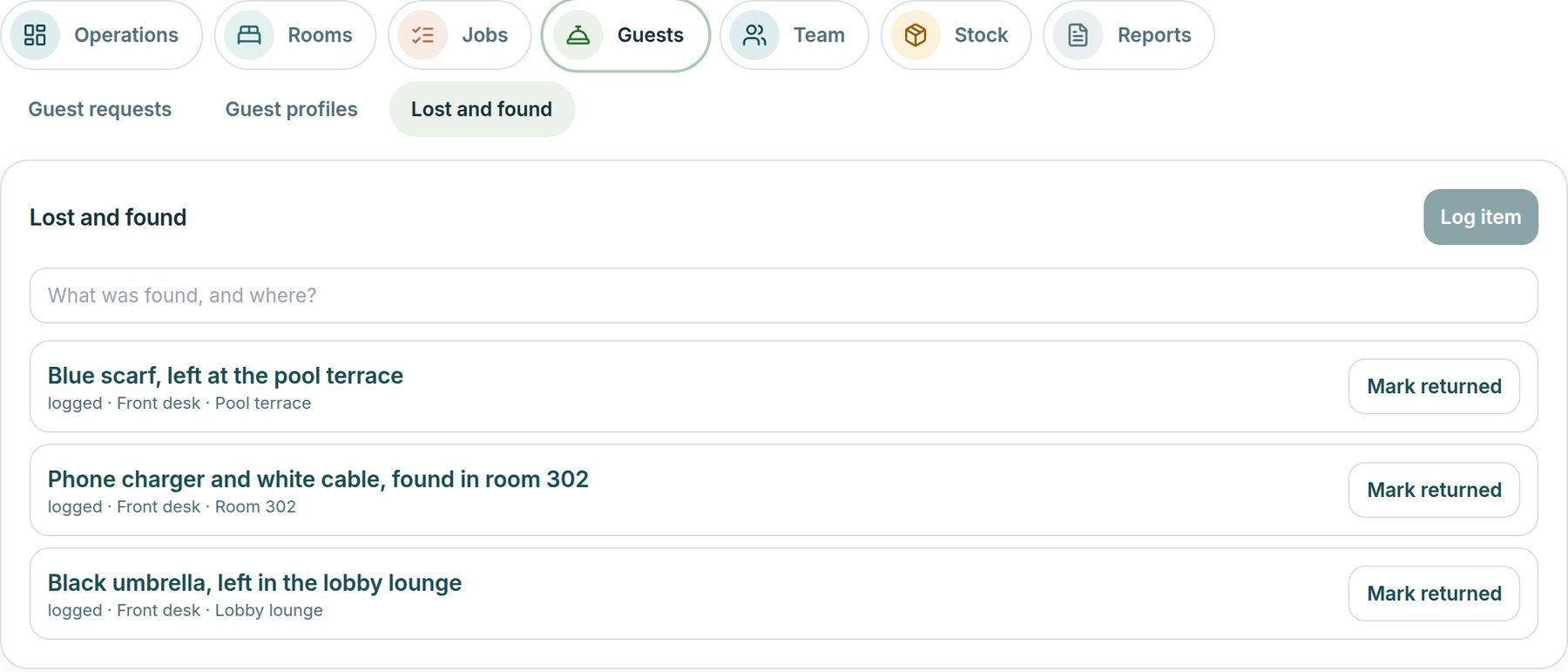
Log a found item in seconds, see everything still held and mark it returned. Every change is written to the activity log.
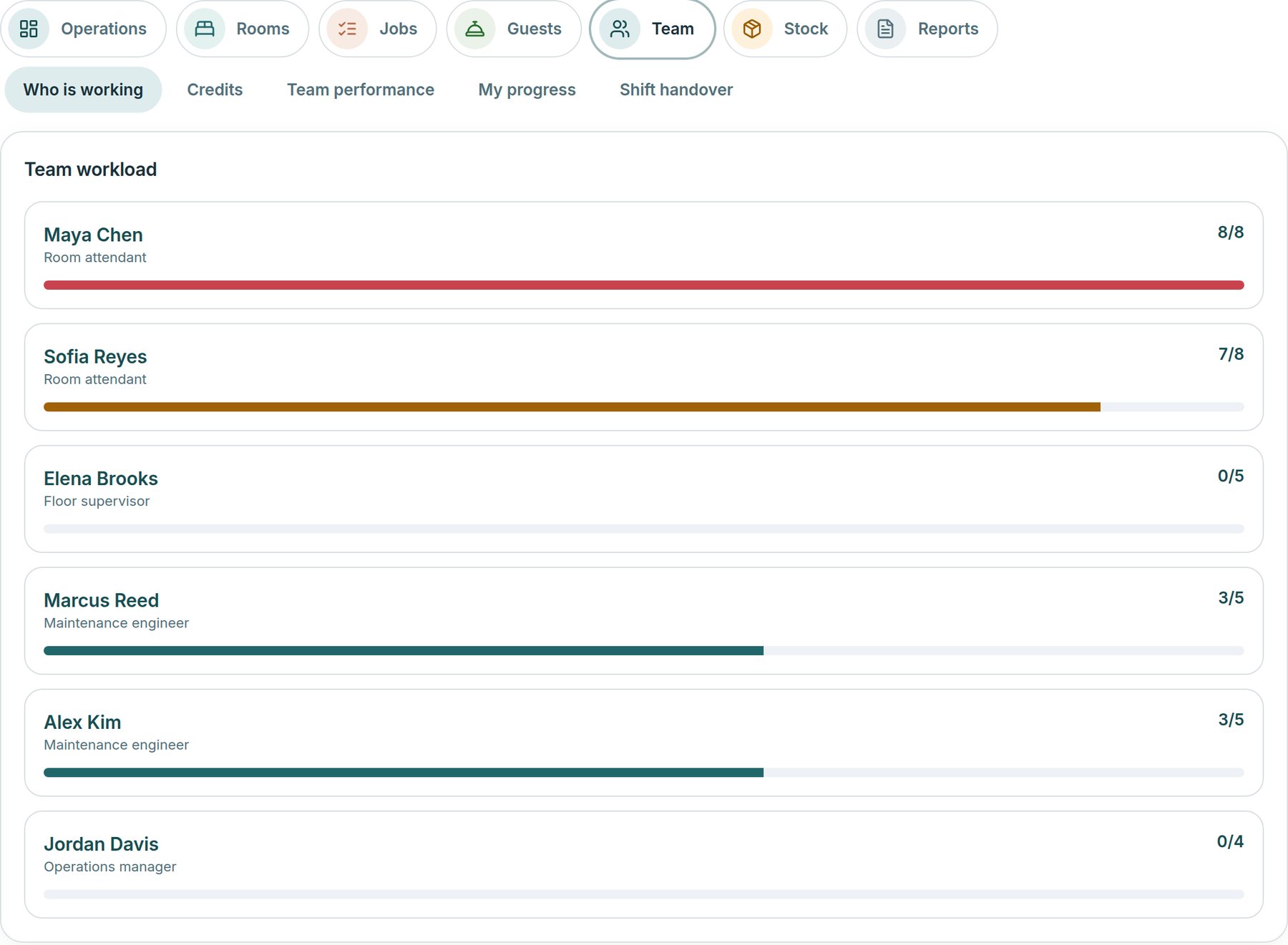
See each person’s open work against their limit. Mark who is working today, so only they are given rooms and suggested for work.
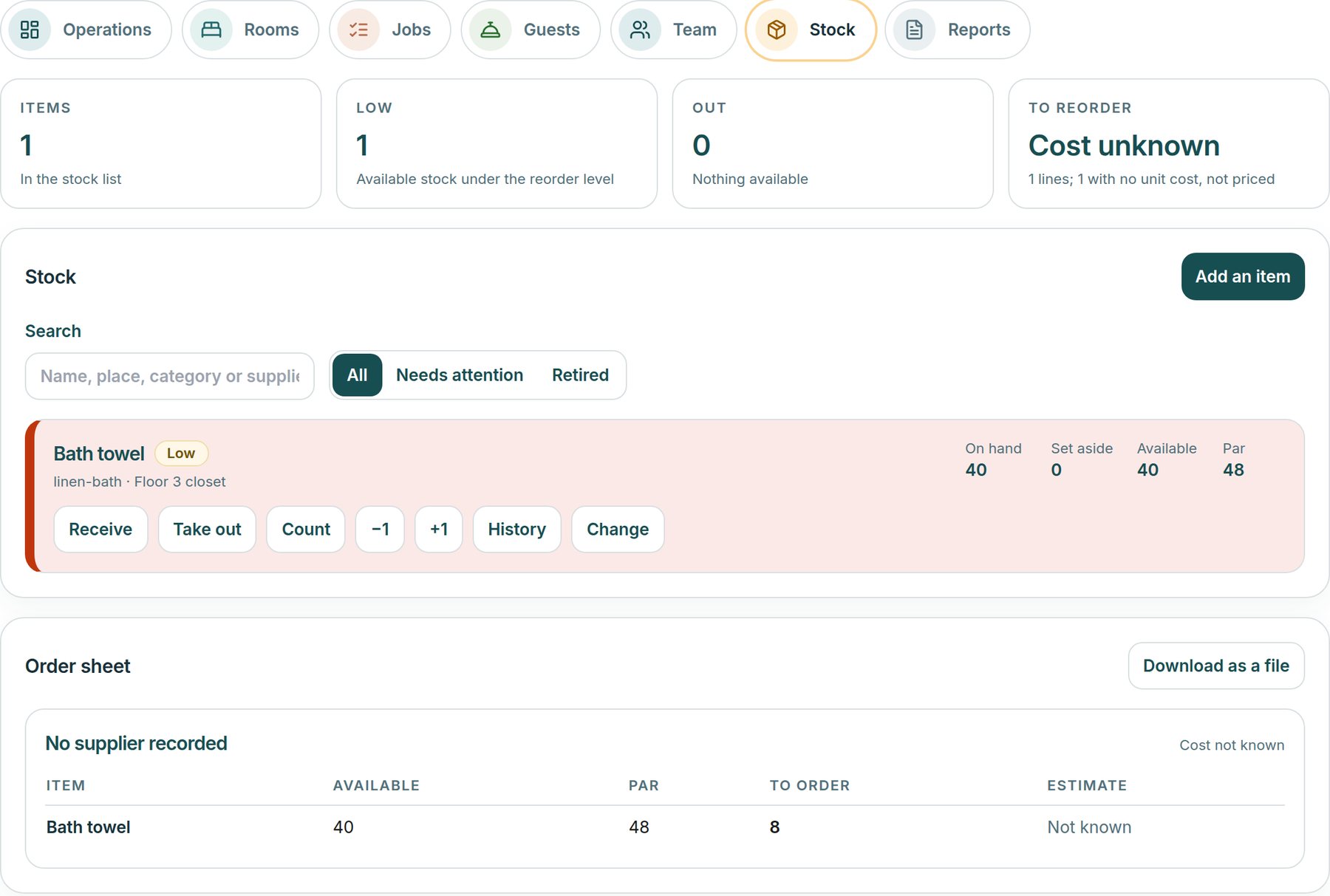
Linen, amenities and parts, with what is on hand, set aside for open jobs and available against the reorder level. Receive, take out or count in a tap, and download an order sheet by supplier.
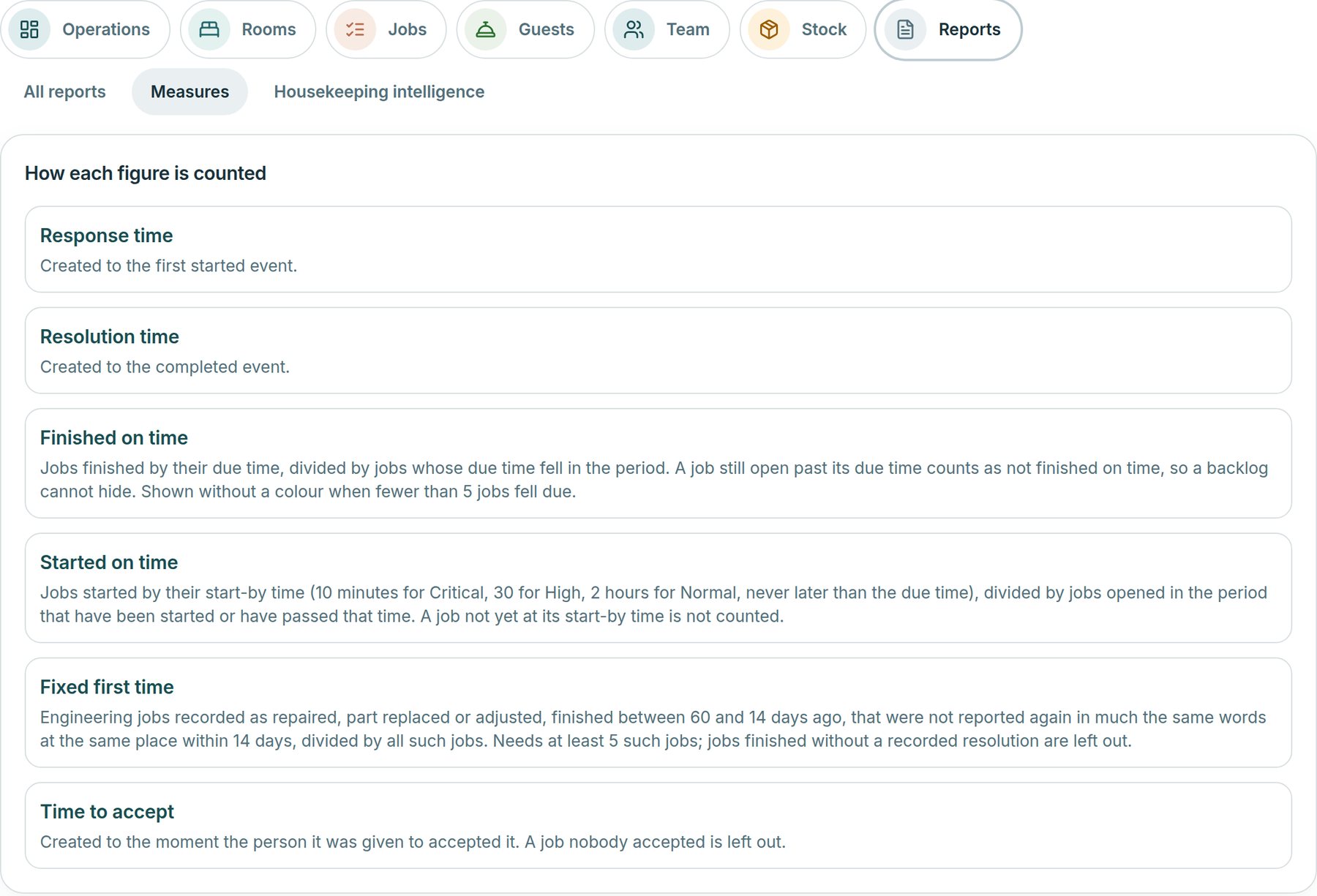
Response time, finished on time, fixed first time and more, each with a plain sentence on how it is counted. A figure shows without a colour until enough jobs back it, and anything not recorded shows as unknown.
Roomline is built and available to hotels on HTMS™ Operations. It is still being proven with live hotels, so it is marked early access. The screens on this page show Grand Harbour Hotel sample data.
On the floor
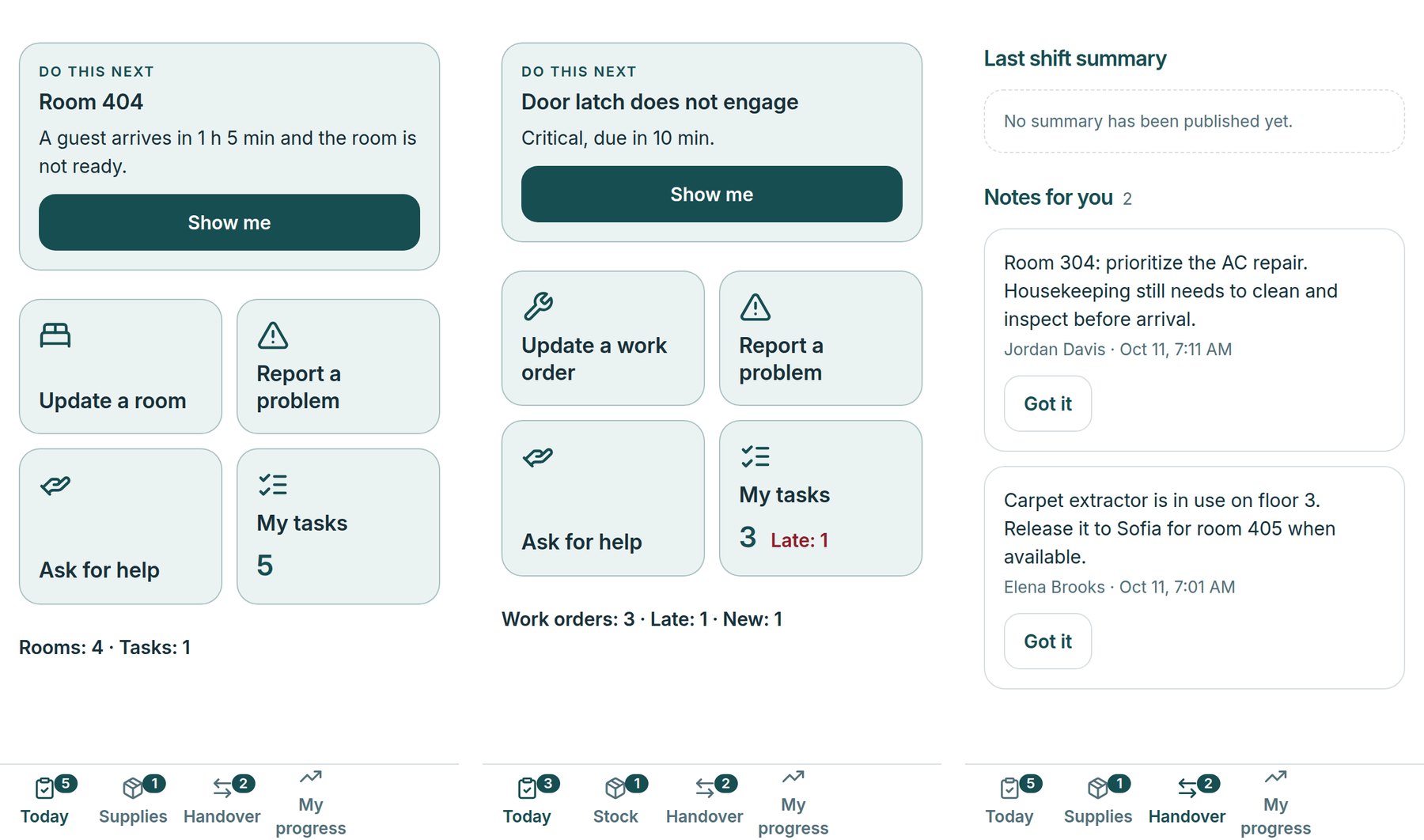
Room attendants, engineers and the front desk see their own next step first, then a few large actions: update a room or job, report a problem, ask for help. Handover notes and stock are a tap away. It runs in the phone’s browser, installs to the home screen, and speaks English, Spanish and French.
And more
Smaller parts that supervisors and managers use every day.
Supervisors see each housekeeper’s planned, done and earned credits against their own target, get a reasoned plan for unassigned rooms and publish the daily board. The hotel sets what each clean is worth. Credits measure workload, not pay.
A library of written standards for the brand, the hotel, a department, a room type or a procedure. Run and schedule audits, track corrective plans, see what keeps failing, and set when rooms must be inspected.
Over 7, 30 or 90 days: rooms cleaned by kind of clean, planned against actual minutes, pass and rework rates, and recurring failures, with plain notes on what is worth a look. Built from your own records.
Each person sees their own credits, rooms cleaned and inspection results with the evidence behind them. Supervisors review the team’s measures, assign training and give recognition. There is no ranking, and nothing links to pay.
Eight helpers read your hotel’s records and explain what they find, with the records behind it: workforce, coaching, quality, engineering, guest service, supervisor, performance and manager. Each starts by reading and answering only. A person approves every proposal.
Build a shift summary from live records: blocked rooms, arrivals at risk, late work, maintenance and low supplies. A supervisor reviews and publishes it, and staff acknowledge their notes.
Publish the daily board, record a guest message once, match an equipment tag by its Code 39 text and see active work minutes, all on one board.
Build an operations report for 7, 30 or 90 days or your own dates: rooms, jobs, maintenance, inspections, team workload and stock, each with its formula. Download the figures as a CSV file or print to PDF.
Room attendant, housekeeping supervisor, engineer, chief engineer, front desk, operations manager, administrator and leadership. Each sees their own tabs and can act only within their role. Leadership reads without changing anything.
Planned, not built yet: push alerts, stored photos and files on jobs, shift rosters, a single request form for tickets and jobs, and native phone apps.
Mark who is working today. Rooms and jobs are shared out by workload.
Staff work from a phone: the next room, the next job, ask for help, report a problem.
Supervisors inspect. A failed item opens repair work before the room is released.
Shift summaries and handover notes let the next team start informed.
Works with
Bring one technology decision you are facing. We will show how HTMS™ organizes it.